This expansion allows Azure-based teams to utilize PlanetScale's managed database features with low latency. The technical implementation highlights sophisticated Kubernetes networking strategies to overcome cloud provider IP limitations at scale.
PlanetScale is now available on Microsoft Azure. Starting today, you can create PlanetScale Postgres and Neki databases in select Azure regions, alongside the AWS and Google Cloud regions we already support. Vitess databases are not currently available on Azure.
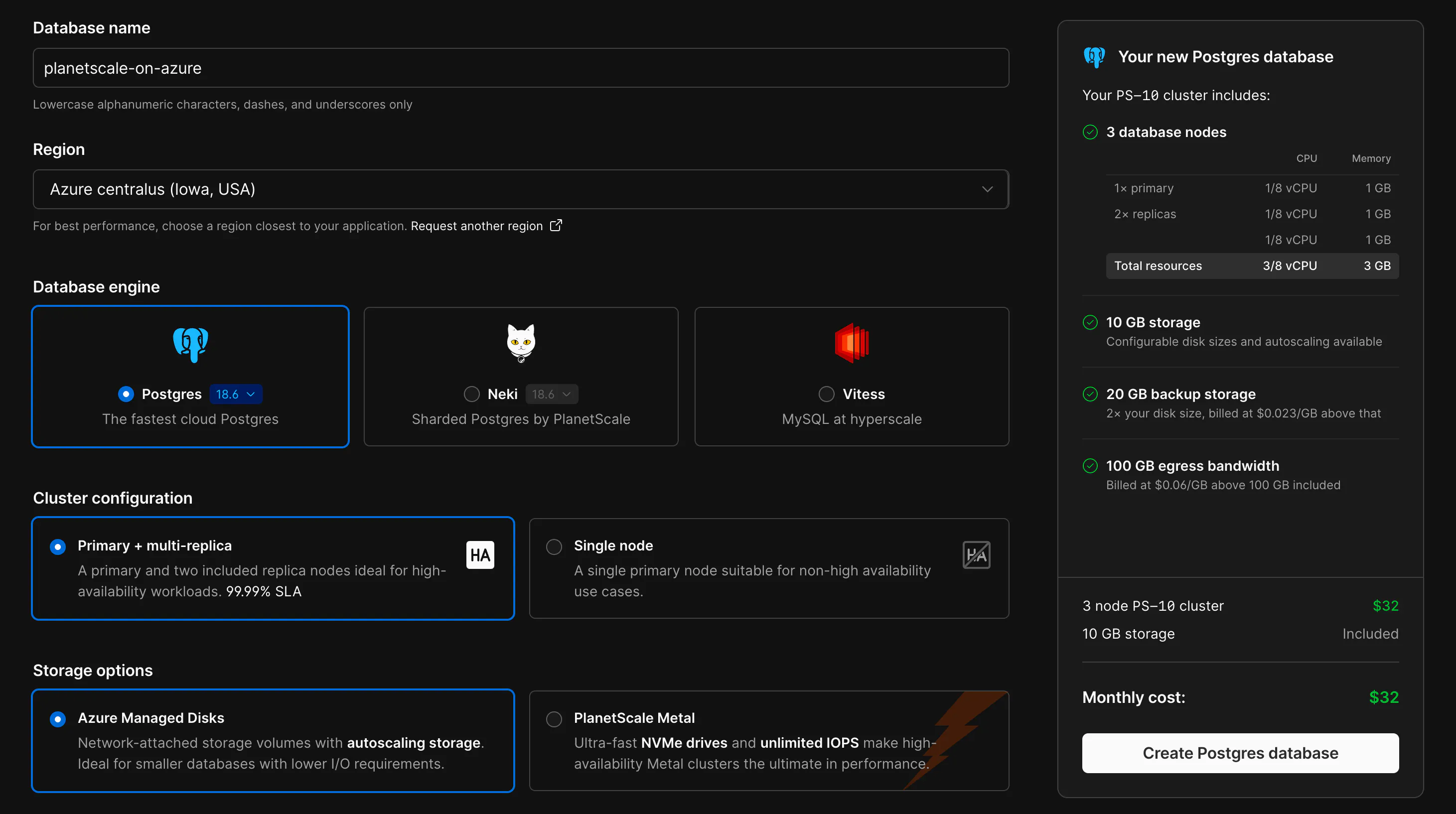
Many teams run their apps on Azure, and we've received consistent requests, especially over the past year, to bring PlanetScale to where they're building. Now those teams can use PlanetScale alongside all their other Azure compute and infrastructure.
Databases on Azure get the same PlanetScale features you use on our other clouds: high availability with a primary and replicas spread across 3 availability zones, Query Insights, schema recommendations, automated backups, and more. That includes Metal clusters with locally attached NVMe storage, the fastest way to run databases in the cloud.
Azure support is currently available in the following regions:
centralus (Iowa, USA)eastus2 (Virginia, USA)westeurope (Netherlands)If you'd like to see PlanetScale in other Azure regions, let us know. See the regions documentation for the full list across all cloud providers.
Bringing PlanetScale to a new cloud took significant time, particularly in testing and ensuring it behaves just as seamlessly on Azure as it does on AWS and GCP. Every cloud has its quirks, and Azure is no exception.
Kubernetes pod networking is a good example. PlanetScale runs databases on Kubernetes, and every database pod needs its own IP address on the network. We wanted those addresses to come from the Azure virtual network directly, with native routing and no overlay for maximum performance and low latency.
The simple approach is to request one IP from Azure per pod, which causes two problems. Azure caps a virtual network at 65,536 private IP addresses, which would limit the whole network to about 65,000 pods. It also puts the Kubernetes API server in the path of every pod start, which slows things down under load.
We solved both by handing out addresses in blocks. Each node gets blocks of 16 IPs (/28 prefixes) on its network interface, and Azure counts each block as a single address toward the cap. That increases our overall IP capacity by 16x, to over a million pod IPs per network. A background service on each node tracks its blocks, and a lightweight CNI plugin assigns pod IPs from them locally, so the API server stays out of the way. When a node gets down to 8 free addresses, it grabs another block, up to 256 blocks (4,096 pod IPs) per node.
This sounds like a simple solution, but it took a surprising amount of custom work to get just right.
Azure had a few additional networking challenges along the way. /28 is the only block size it offers, so the design had to work around that. Older versions of the network interface API don't return prefixes at all, and the block's range comes back in a field normally used for a single address. There's also a chicken-and-egg problem: system pods need IPs before the Kubernetes operator that manages the blocks is running. To handle that, the operator has a bootstrap mode that runs on the host network.
In scale testing, one cluster ran over 6,700 pods across more than 100 node pools, with the busiest nodes holding 15 blocks (240 IPs) each.
This is just one of many pieces we had to carefully construct to make PlanetScale on Azure a seamless experience for our customers. Storage, load balancing, identity, and backups all needed the same level of care. All of that work culminates in today's launch.
To create a database on Azure, choose Azure as the cloud provider when you create a new database, then select a region. Existing databases can be migrated to Azure by contacting support.
If you have questions or want help planning a move, get in touch.
Continue reading on the original blog to support the author
Read full articleThese updates bridge the gap between traditional Postgres and distributed sharding. With read-only replicas, Azure support, and massive performance boosts to bulk writes, Neki offers a scalable path for Postgres workloads without sacrificing SQL compatibility or developer experience.
This feature allows engineers to scale read-heavy Postgres workloads globally while isolating specialized tasks like analytics or vector search. By providing independent resource tuning for each replica, teams can optimize performance and costs without impacting the primary database.
Sharding strategies that work at launch often fail under scale. Understanding how to migrate from tenant-based sharding to more granular keys is crucial for maintaining performance and enabling features like cross-tenant communication without incurring application downtime.
Logical replication slots are vital for data integrity in downstream systems. By blocking cutovers until slots are synced, PlanetScale prevents silent data loss in CDC pipelines, ensuring high availability doesn't compromise consistency for external analytics or search indexes.
