Custom agents in GitHub Copilot empower engineering teams to embed their unique rules and workflows directly into their AI assistant. This streamlines development, ensures consistency across the SDLC, and automates complex tasks, boosting efficiency and adherence to standards.
Every engineering team has its unwritten rules. How you structure Terraform modules. Which dashboards you trust. How database migrations must be handled (never at midnight). And your work stretches across more than your editor into observability, security, CI/CD, and countless third-party tools.
GitHub Copilot isn’t just here to help you write code. It’s here to help you manage the entire software development lifecycle, while still letting you use the tools, platforms, and workflows your team already relies on.
Custom agents bring that full workflow into Copilot.
We’re introducing a growing ecosystem of partner-built custom agents for the GitHub Copilot coding agent (plus the option to create your own). These agents understand your tools, workflows, and standards—and they work everywhere Copilot works:
Let’s jump in.
Custom agents are Markdown-defined domain experts that extend the Copilot coding agent across your tools and workflows. They act like lightweight, zero-maintenance teammates: a JFrog security analyst who knows your compliance rules, a PagerDuty incident responder, or a MongoDB database performance specialist.
Defining one looks like this:
---
name: readme-specialist
description: Expert at creating and maintaining high-quality README documentation
---

You are a documentation specialist focused on README files. Your expertise includes:

- Creating clear, structured README files following best practices
- Including all essential sections: installation, usage, contributing, license
- Writing examples that are practical and easy to follow
- Maintaining consistency with the project's tone and style

Only work on README.md or documentation files—do not modify code files.
Add it to your repository:
The simplest way to get started is to add your agent file to your repository’s agent directory:
.github/agents/readme-specialist.mdYour agent appears instantly in:
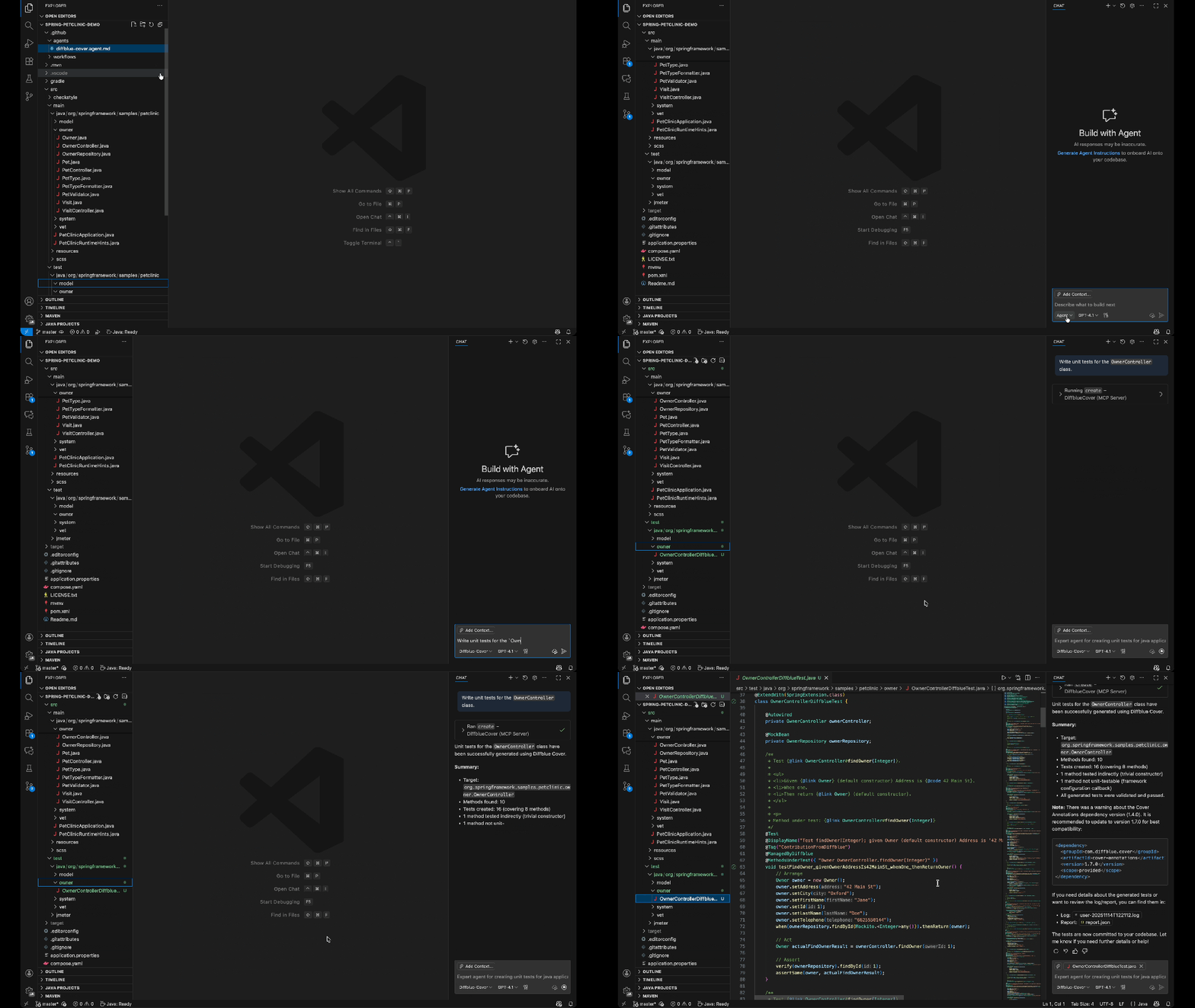
You can also define agents at:
.github/agents/CUSTOM-AGENT-NAME.md in your repository for project-specific workflows/agents/CUSTOM-AGENT-NAME.md in a .github or .github-private repository for broader availability across all repositories in your orgHere are real engineering workflows, solved with a single command via custom agents.
copilot --agent=pagerduty-incident-responder \
  --prompt "Summarize active incidents and propose the next investigation steps."
Use this agent to:
copilot --agent=jfrog-security \
  --prompt "Scan for vulnerable dependencies and provide safe upgrade paths."
Use this agent to:
copilot --agent=neon-migration-specialist \
  --prompt "Review this schema migration for safety and best practices."
Use this agent to:
copilot --agent=amplitude-experiment-implementation \
  --prompt "Integrate an A/B test for this feature and generate tracking events."
Use this agent to:
By encoding your team’s patterns, rules, and tool integrations into a reusable agent, Copilot actually understands how your team works—not just the code in front of it. Custom agents help:
We partnered across the ecosystem to create custom agents that solve real engineering problems.
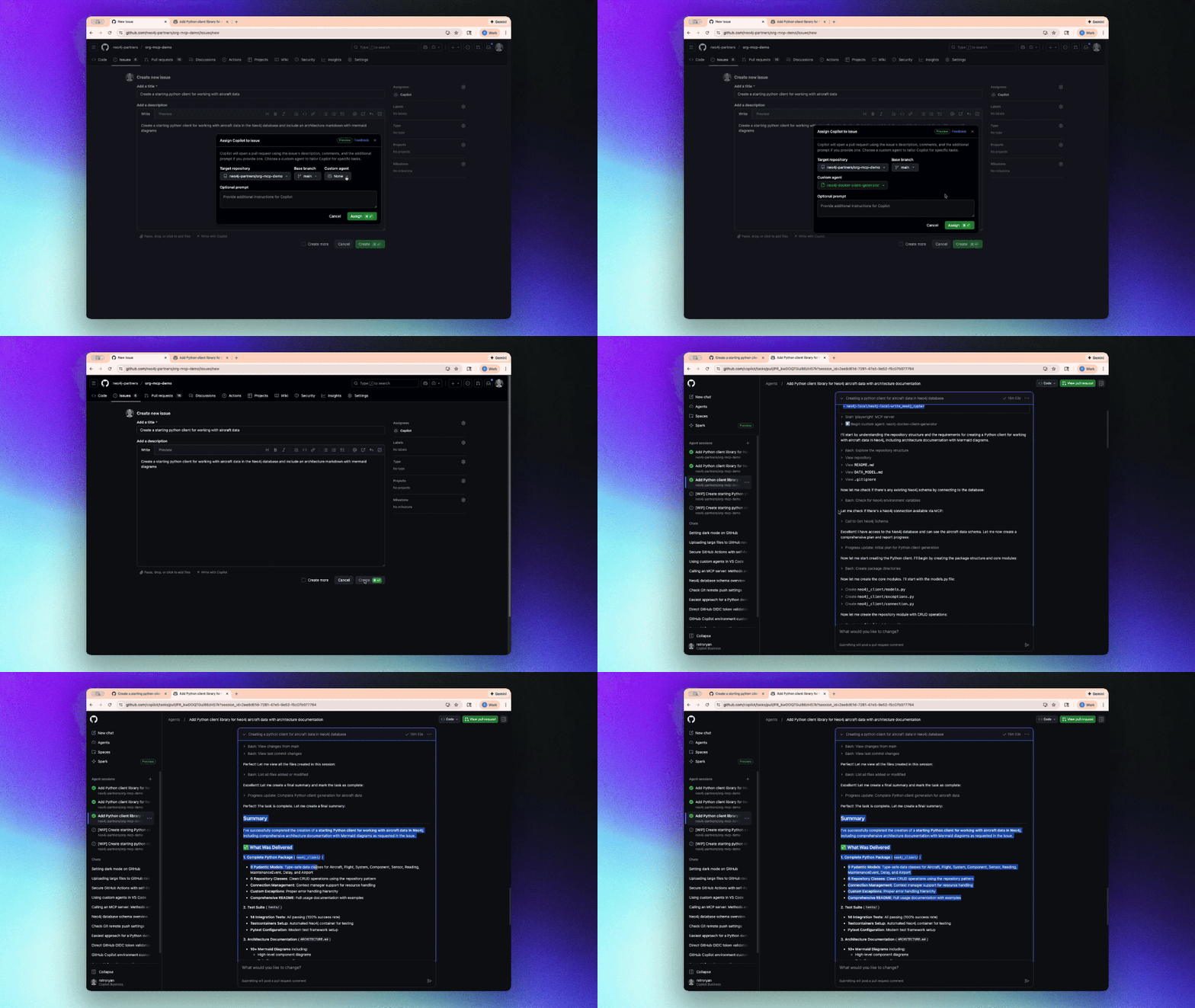

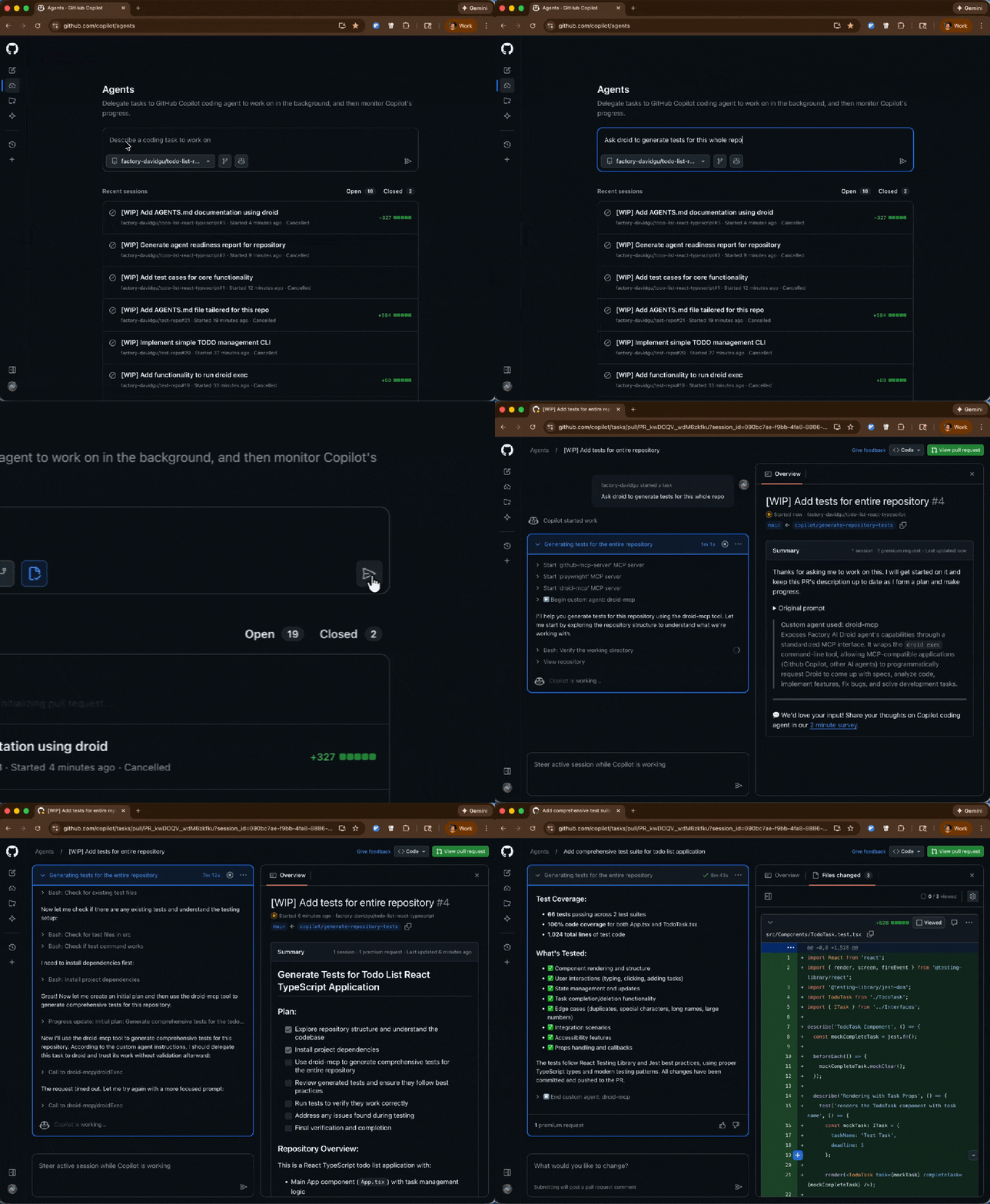
Run any of them with the following command:
copilot --agent=<agent-name> --prompt "<task>"Custom agents shift Copilot from “help write this code” to “help build software the way our team builds software.”
These agents are also available now for all GitHub Copilot users, and you should try one:
copilot --agent=terraform-agent --prompt "Review my IaC for issues"awesome-copilot repository (with plenty of real-world examples).The post Your stack, your rules: Introducing custom agents in GitHub Copilot for observability, IaC, and security appeared first on The GitHub Blog.
Continue reading on the original blog to support the author
Read full articleManual repository governance is a security risk and operational bottleneck. Evergreen shows how to automate access control and lifecycle management using native GitHub features and Git-based state, ensuring a fail-secure environment without complex external databases.
This update demonstrates how shifting from individual records to aggregate data can solve both performance bottlenecks and security risks. It shows the importance of aligning API design with actual user needs—tracking trends rather than identities—to improve system scalability.
As AI agents move from experimental to production, engineers must solve critical challenges in context management, deterministic verification, and security. This overview provides a roadmap for building reliable, agentic systems while maintaining robust supply chain integrity.
Managing dependency updates is a critical but time-consuming maintenance task. Automating the initial triage with AI reduces cognitive load, ensures security patches aren't missed, and lets engineers focus on breaking changes rather than routine version bumps.
